ricardothompson

Batch Render Studio. Accelerating Production with Scalable Content Creation

3D Pipelining + Native Application
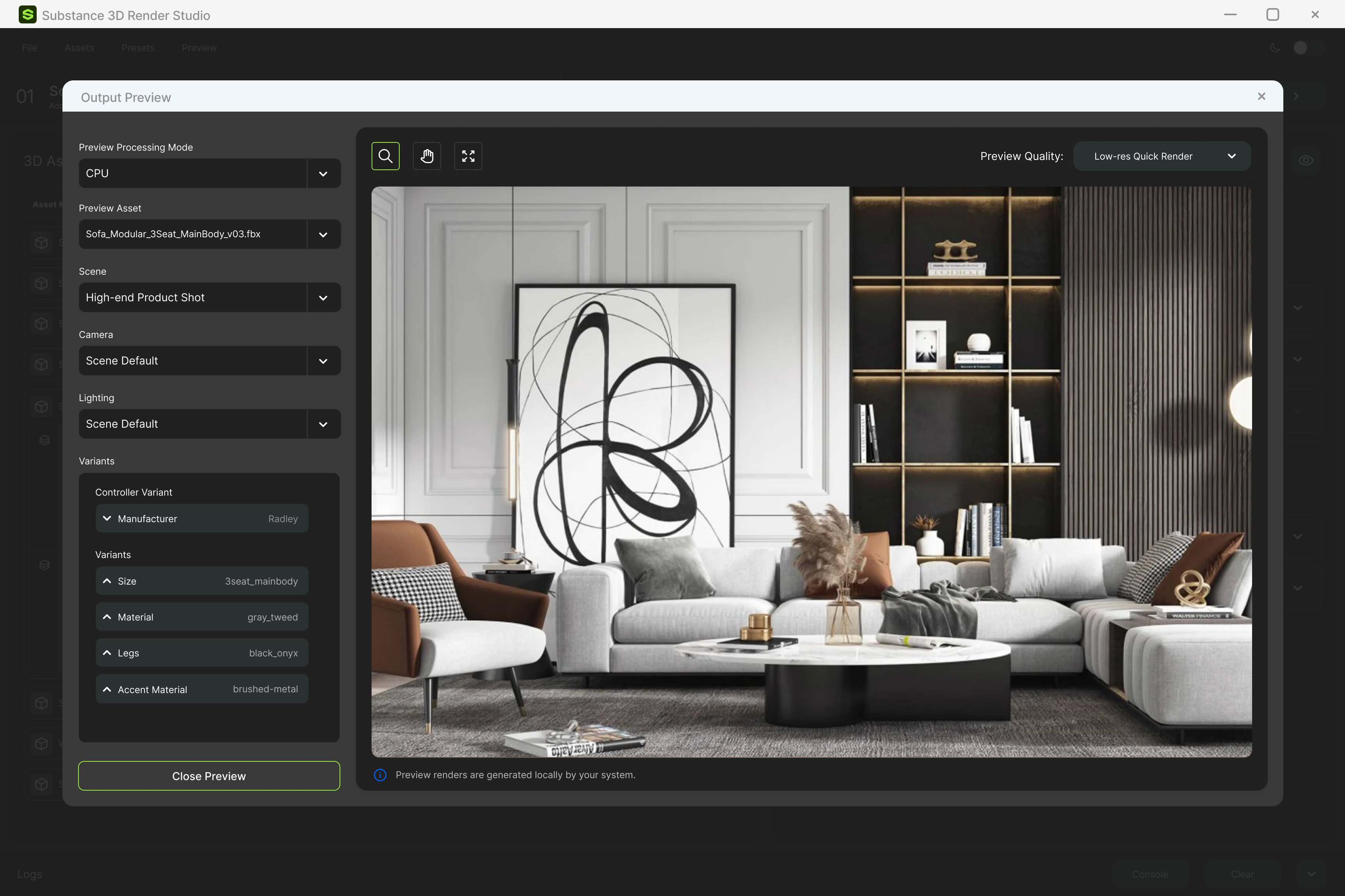
Modern living room setup with a gray modular three-seat sofa, a white and brown armchair, a round coffee table with books and decor, a tall abstract black and white painting, and a dark shelving unit with warm lighting and decorative items.

Substance Batch Render Studio enables teams to utilize 3D assets for on demand content creation.

Substance Batch Render Studio is one part of a pair of tools we built alongside Adobe’s Substance team.  The Batch Render Studio allows teams to assemble scenes and export finished visuals, enabling teams to produce and scale content on demand.

  • Scope: Strategy, UX/UI Design

    ‍Role: Lead designer: experience design, prototyping, base UI

The Opportunity

Highly detailed 1:1 models already define exactly how a product looks. Marketing and other teams lack the 3D skillset to put them to work.

The Idea

Empower these teams by dropping those models into environments with preset lighting and cameras to generate visuals for any channel on demand.

The Impact

No shipped products, no photoshoots, no reshoots. Designers get campaign-ready visuals faster, and content finally keeps pace with demand.
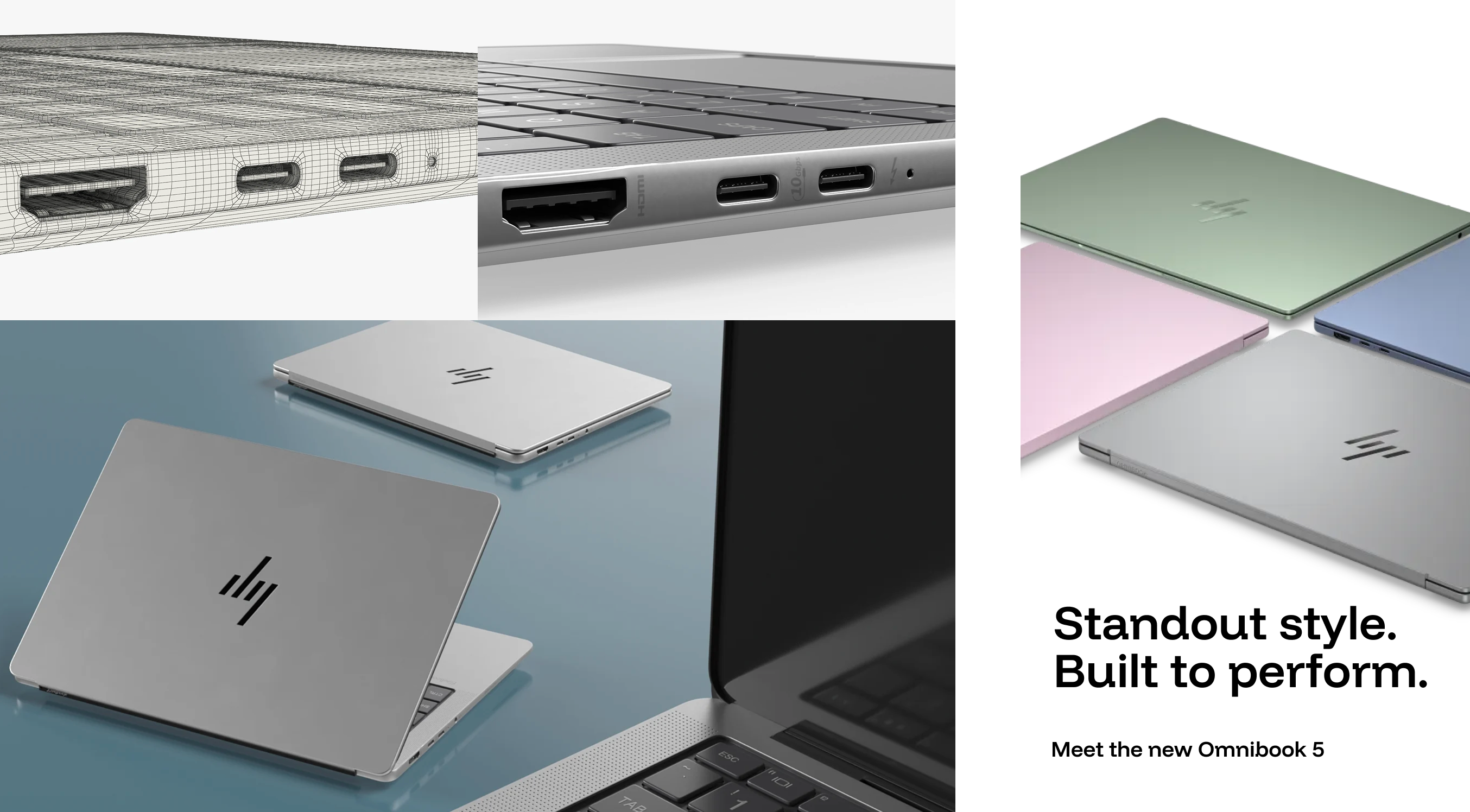
A collage showing various views of the HP Omnibook 5 laptop, including close-ups of its ports and four closed laptops in green, pink, blue, and silver, with text saying 'Standout style. Built to perform. Meet the new Omnibook 5.'

From a digital twin to finished ad: one 3D model, rendered into context and ready for use in campaigns.
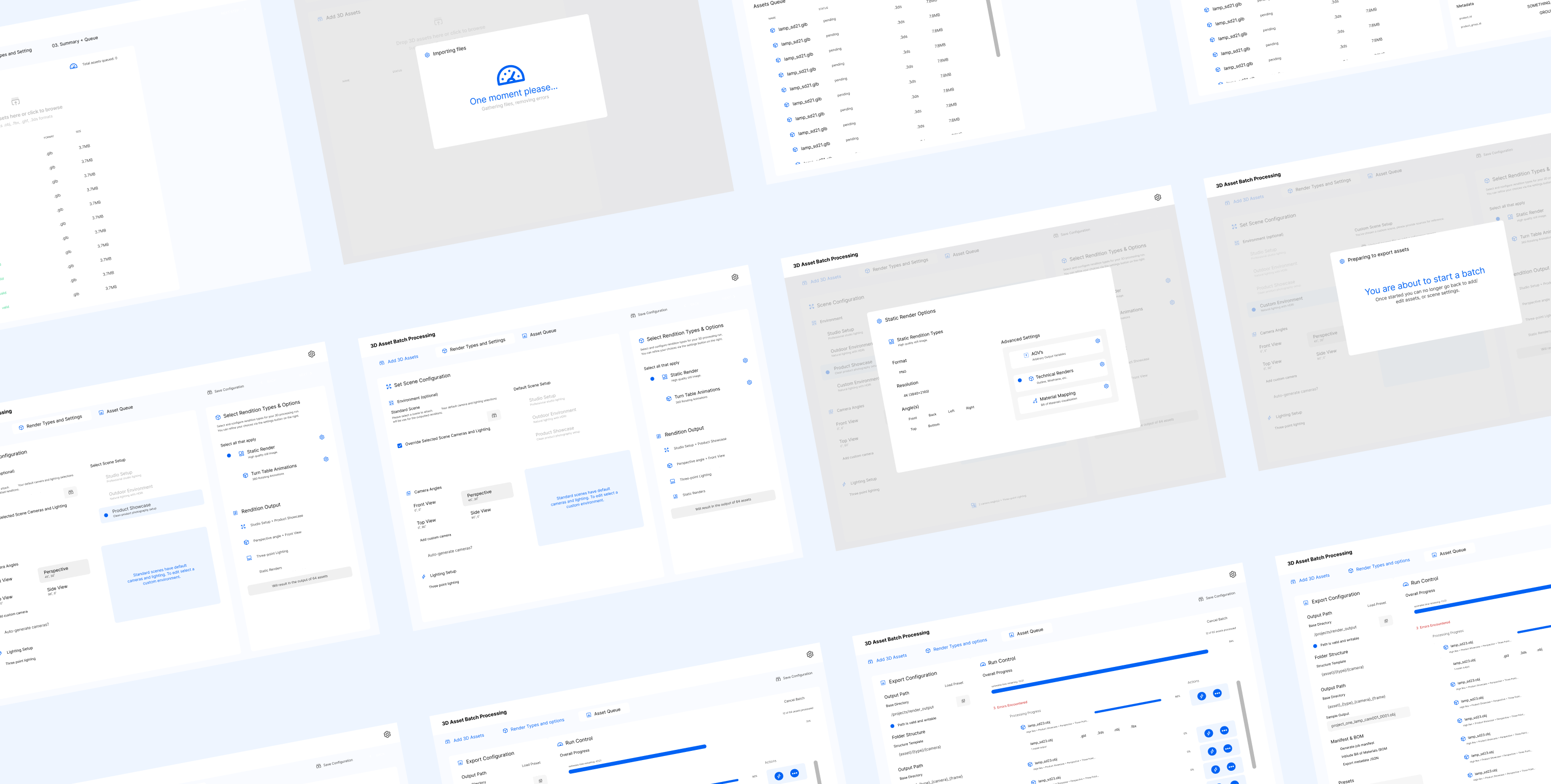
Multiple user interface screens showing a 3D Asset Batch Processing workflow, including steps for adding 3D assets, setting scene configuration, selecting render types and options, asset queue management, export configuration, and run control with progress bars and file details.

I mapped user journeys, then used UX Pilot to quickly plan the application. This process allowed for rapid iteration giving us something to test early on and helped clarify assumptions with the Substance team.

  • Build Principle: AI speeds up the process and adds efficiency, but human judgement is still integral to every step.
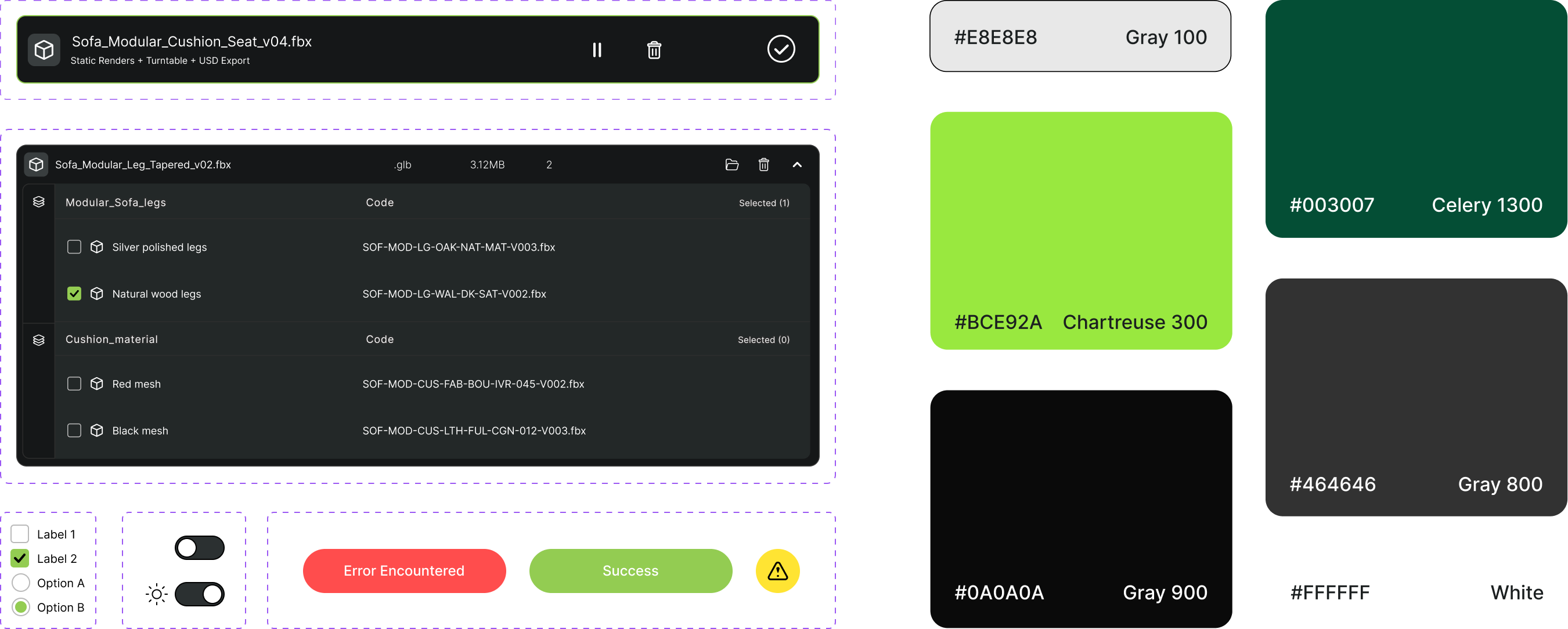
UI design screenshot featuring a file import panel for a modular sofa model with options for selecting polished or wood legs and mesh materials, toggle switches for labels and options, colored status buttons labeled Error Encountered and Success, and a color palette with color swatches named Gray 100, Celery 1300, Chartreuse 300, Gray 800, Gray 900, and White with corresponding hex codes.

78

Components

17

Blocks

4

Page patterns

2

Themes

The base UI tokens, components, blocks, and some patterns are shared across this and the Variant Compiler.


  • A shared design foundation

    I built this foundation so two complex tools would feel like one product. Every screen in both started from the same decisions, and engineering had proven parts to build from, so new features ship faster and stay consistent as the product grows.
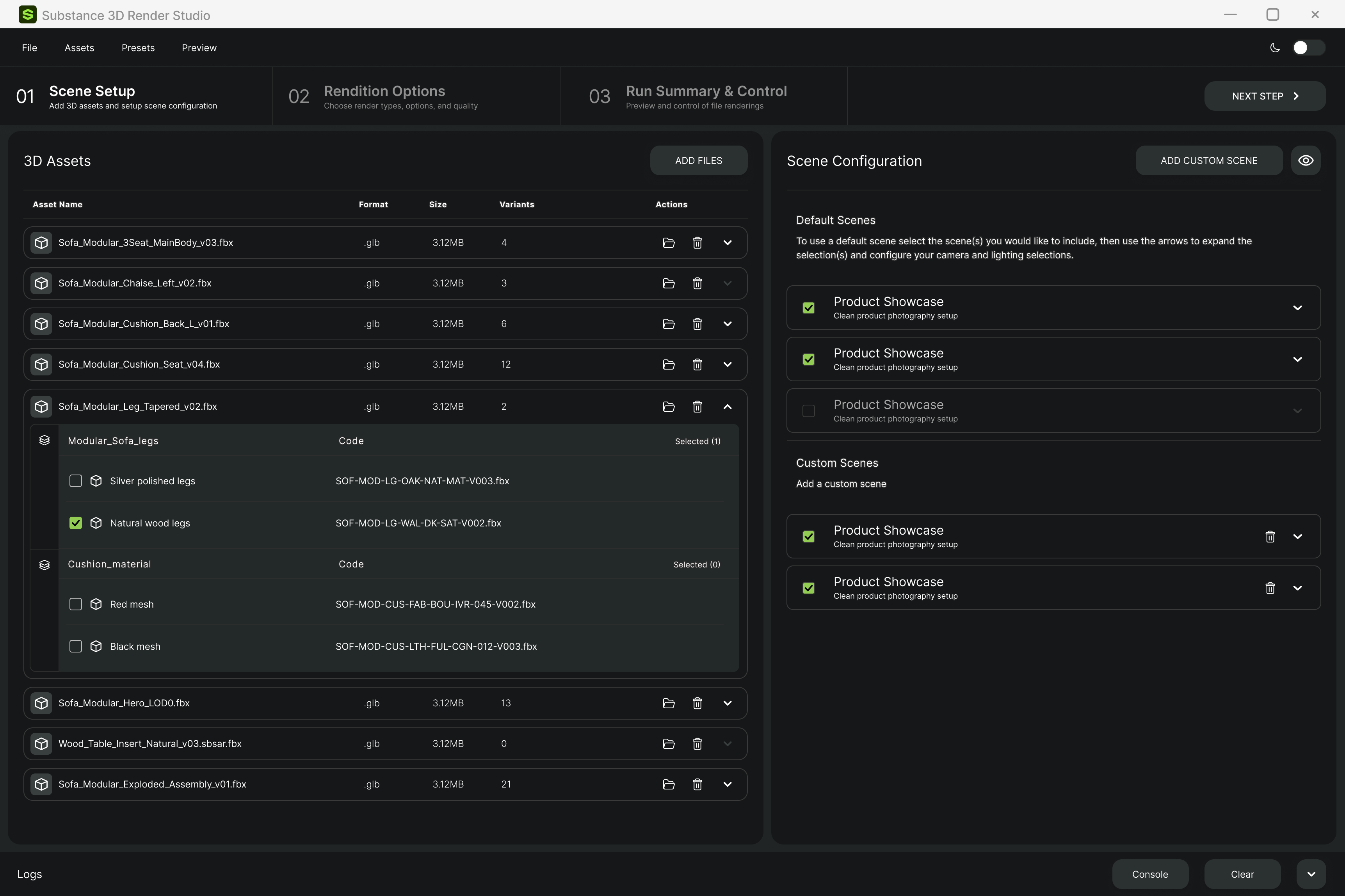
Interface of Substance 3D Render Studio showing the Scene Setup tab with 3D assets list on the left, including modular sofa parts with file names, format, size, and variants, and scene configuration options on the right with multiple Product Showcase scenes selected for clean product photography setup.

Add assets, choose which variants to include, and select the scenes to render them in.
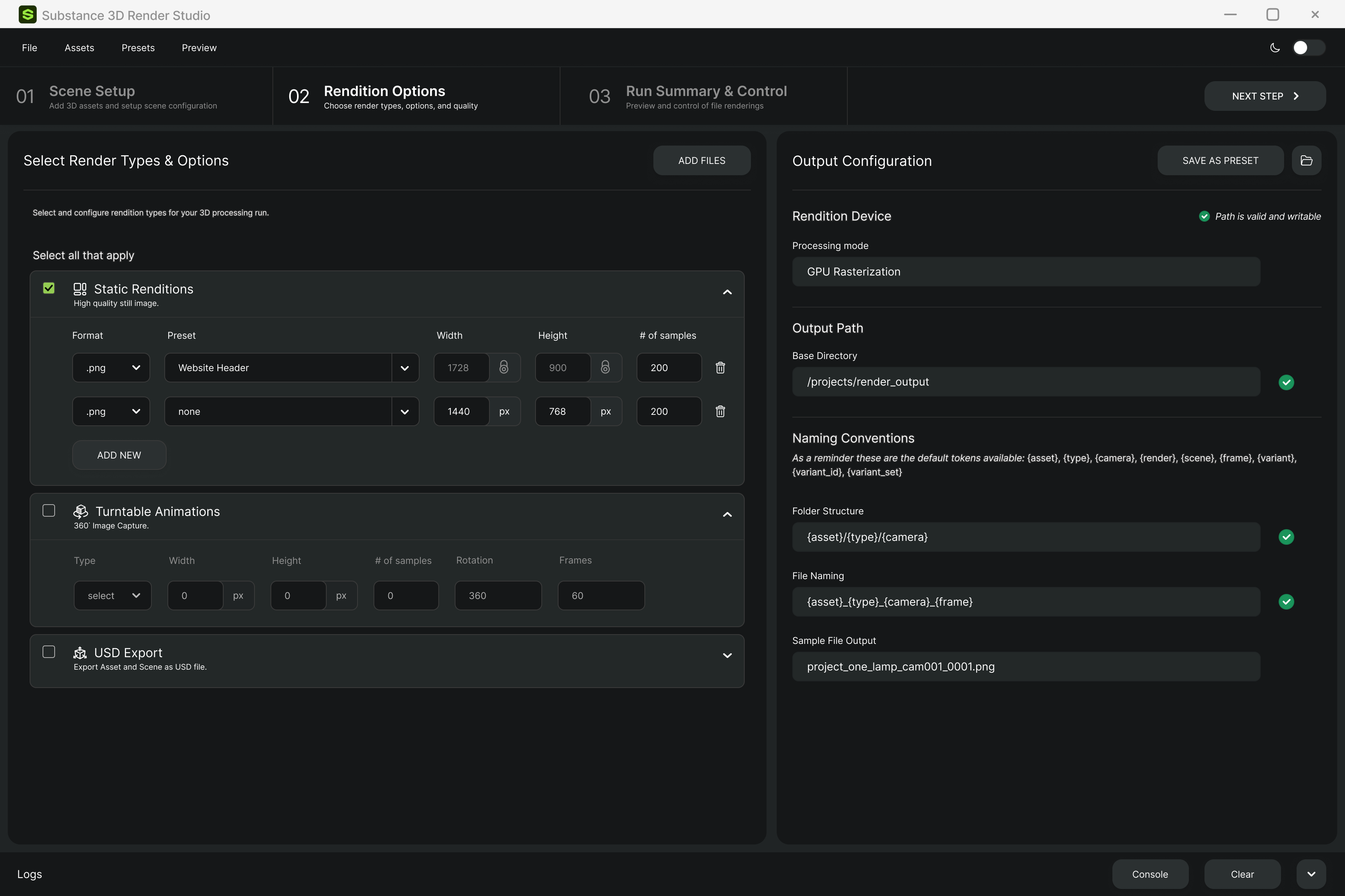
Substance 3D Render Studio interface showing Rendition Options tab with sections for selecting render types including Static Renditions with PNG formats and presets, Turntable Animations, and USD Export. Output Configuration panel on the right shows GPU Rasterization as processing mode, output path set to '/projects/render_output', naming conventions for folder structure and file naming, and a sample file output name. Buttons for adding files, saving presets, and navigating steps are visible.

Choose render types and quality, then set output and naming rules once and save them as a preset.
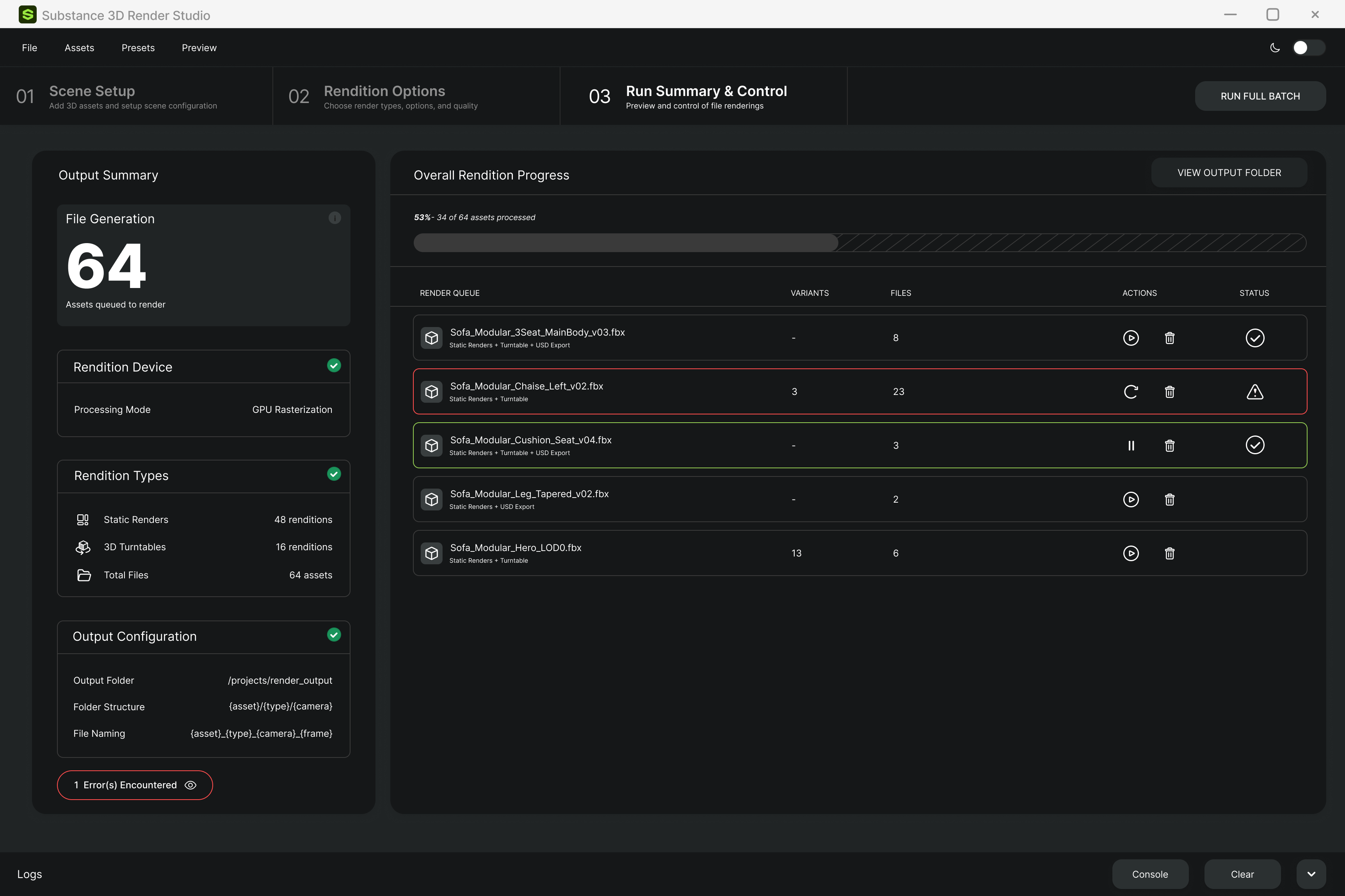
Substance 3D Render Studio interface showing step 3: Run Summary & Control. The output summary displays 64 assets queued for rendering with GPU rasterization as the processing mode. Rendition types include 48 static renders and 16 3D turntables. The output folder is set to /projects/render_output. The overall rendition progress bar shows 53% completed, with 34 of 64 assets processed. The render queue lists five assets with their filenames, variant counts, file counts, actions, and status icons, including one error for Sofa_Modular_Chaise_Left_v02.fbx. Control buttons include play, pause, refresh, and delete icons. The interface also has navigation controls for Scene Setup, Rendition Options, Preview, and buttons for running the full batch and viewing the output folder.

Review the whole run at a glance, then monitor progress and handle errors file by file
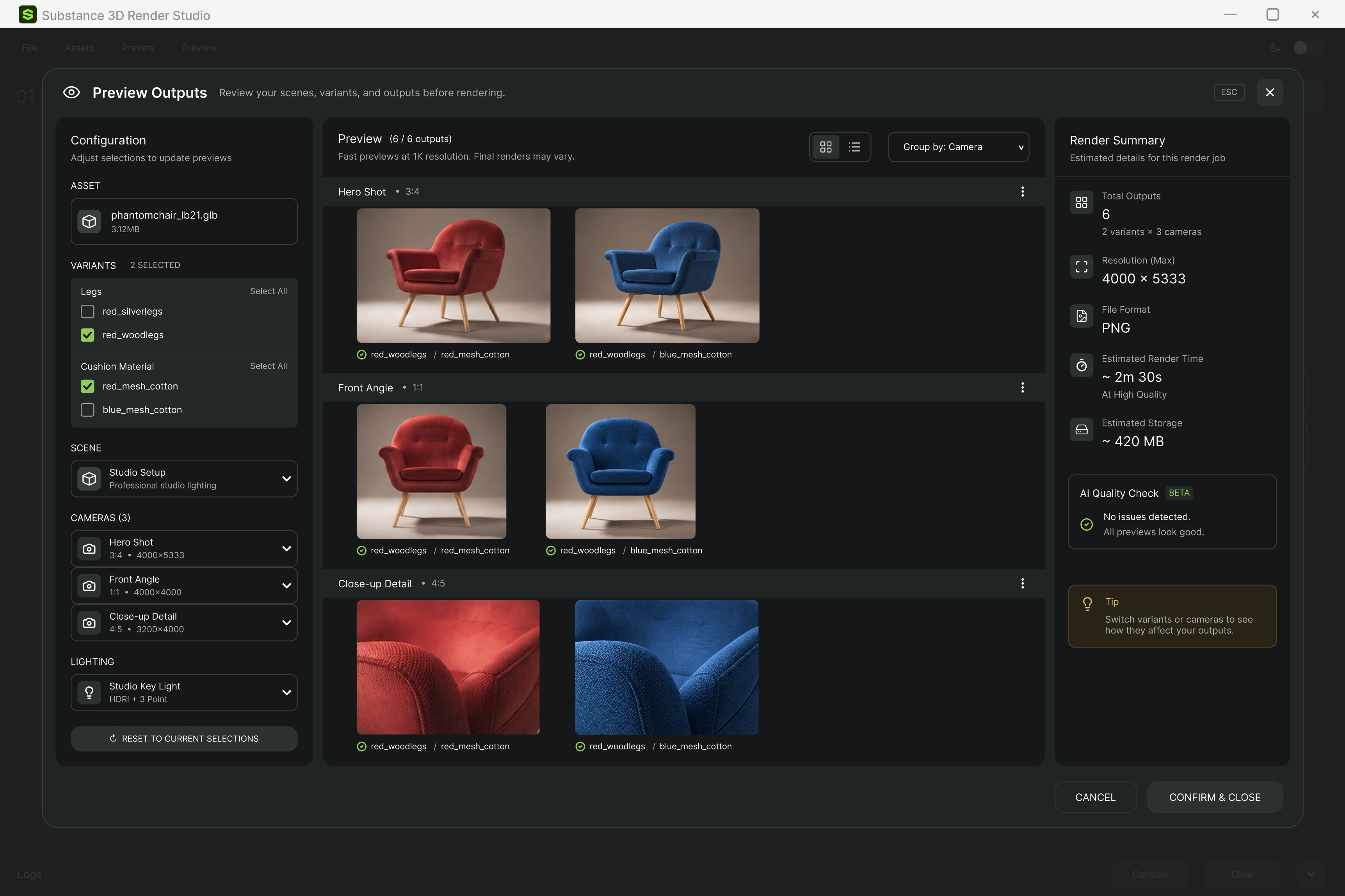
Production ready renders, created on demand, without the need for their physical counterparts.


  • Looking forward

    Batch Render Studio is now in its fifth phase and in the hands of real customers. Their feedback is shaping what we build next, with new features shipping as the tool moves from a validated concept to a product teams rely on every day.

    Batch Render works alongside the Variant Compiler, which prepares complex product variants for production. View the case study