Variant Compiler. Turning complex product variants into production-ready visual content
3D Pipelining + Native Application
3D Pipelining + Native Application
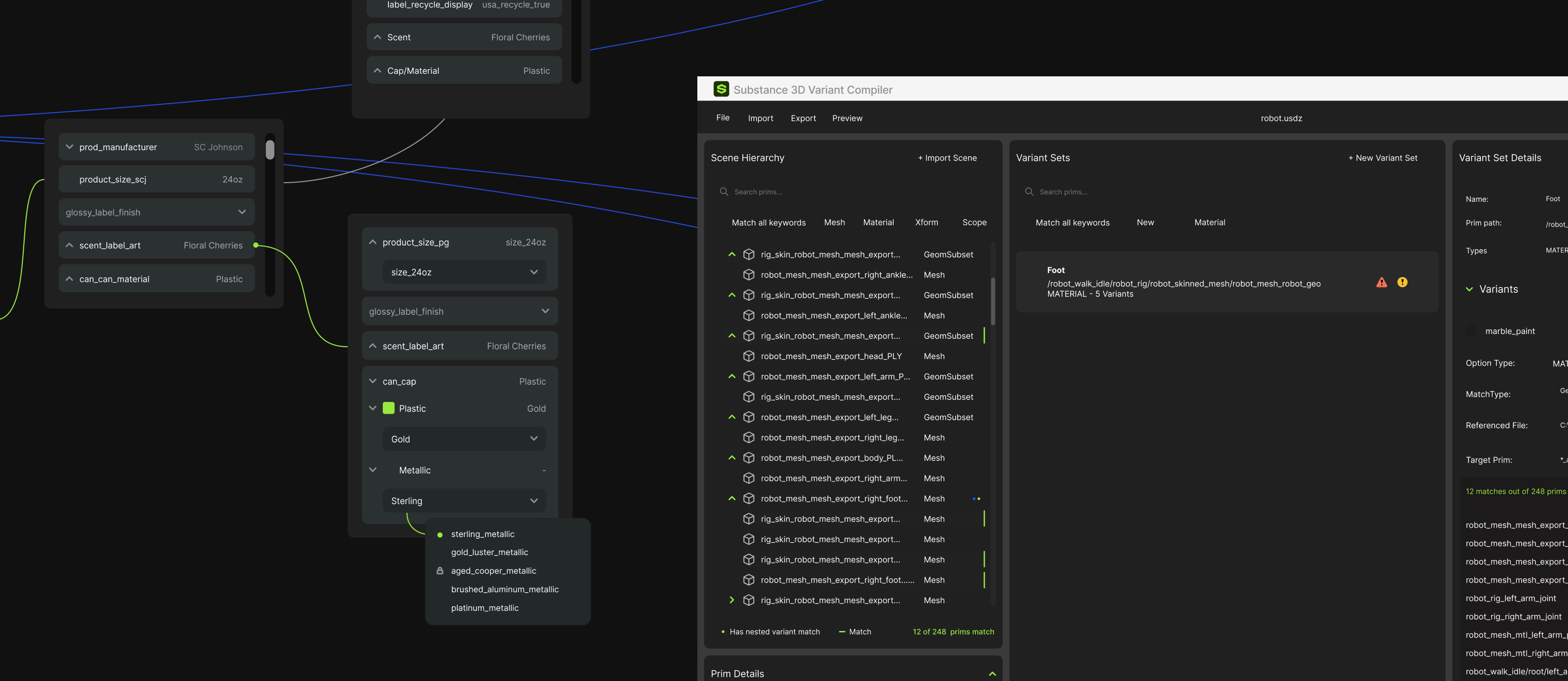
Behind every 3D model lies a vast, complex network of variations, called variants, that require mapping and rules in order to work properly.
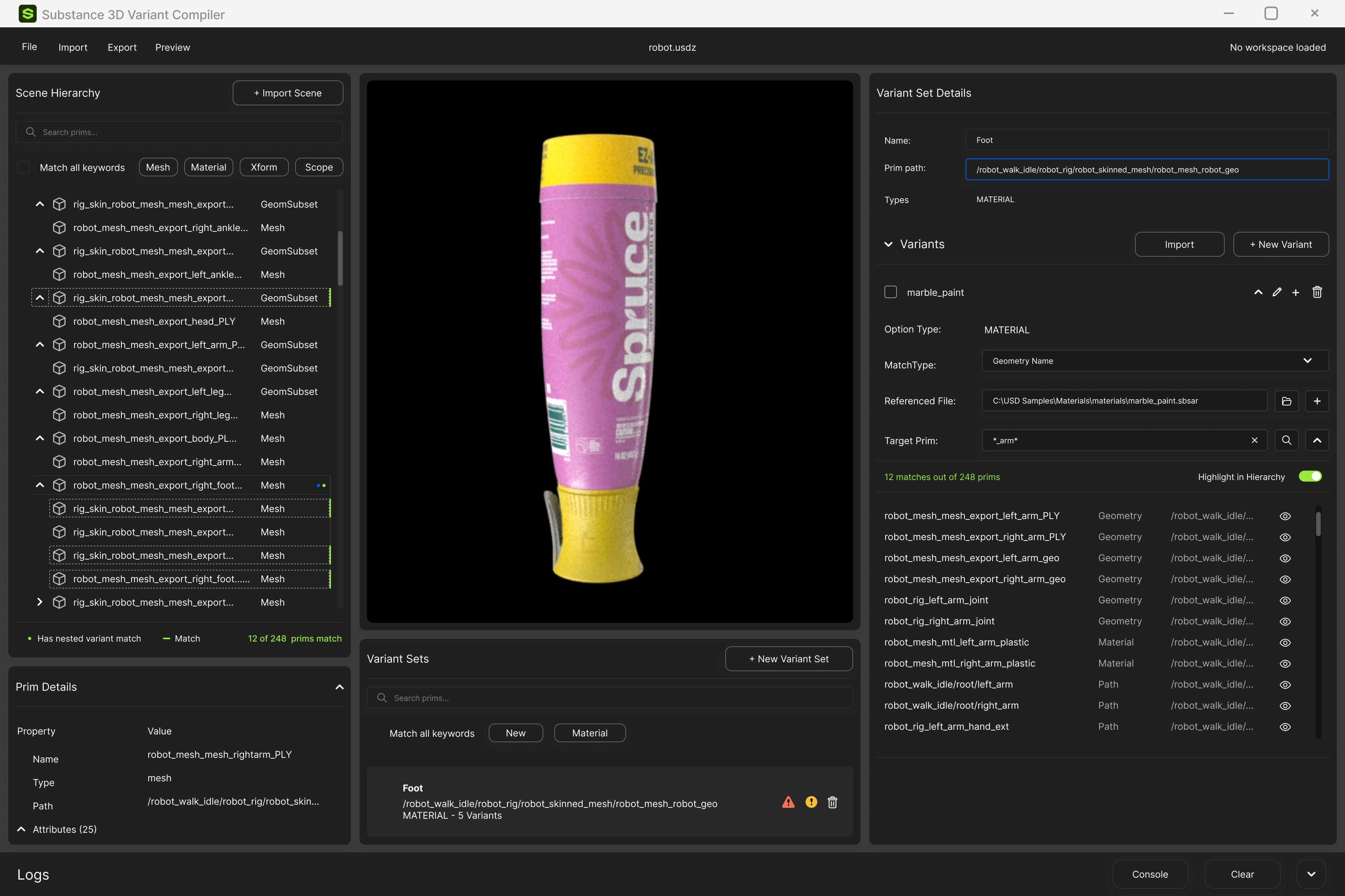
Adobe Substance Variant Compiler is a 3D content production platform that helps marketing and creative teams turn complex product variants into production-ready visual content. Teams can add 3D assets, assemble scenes, generate variations, and export final imagery from a single workflow—replacing fragmented production processes with a scalable system.
Scope: Strategy, UX/UI Design
Role: Lead designer: experience design, prototyping, base UI
The Variant Compiler provides a structured way to define, manage, and compile product variants, reducing the manual effort required to prepare individual configurations.
Instead of treating every variant as a separate production task, the system enables teams to generate large volumes of visual outputs from a shared product foundation.
By connecting variants to structured 3D assets, teams can maintain greater consistency across the content they create, while reducing the risk of errors and disconnected workflows.

Colors, materials, finishes, components, sizes, and options can create hundreds, or even thousands, of possible variants.
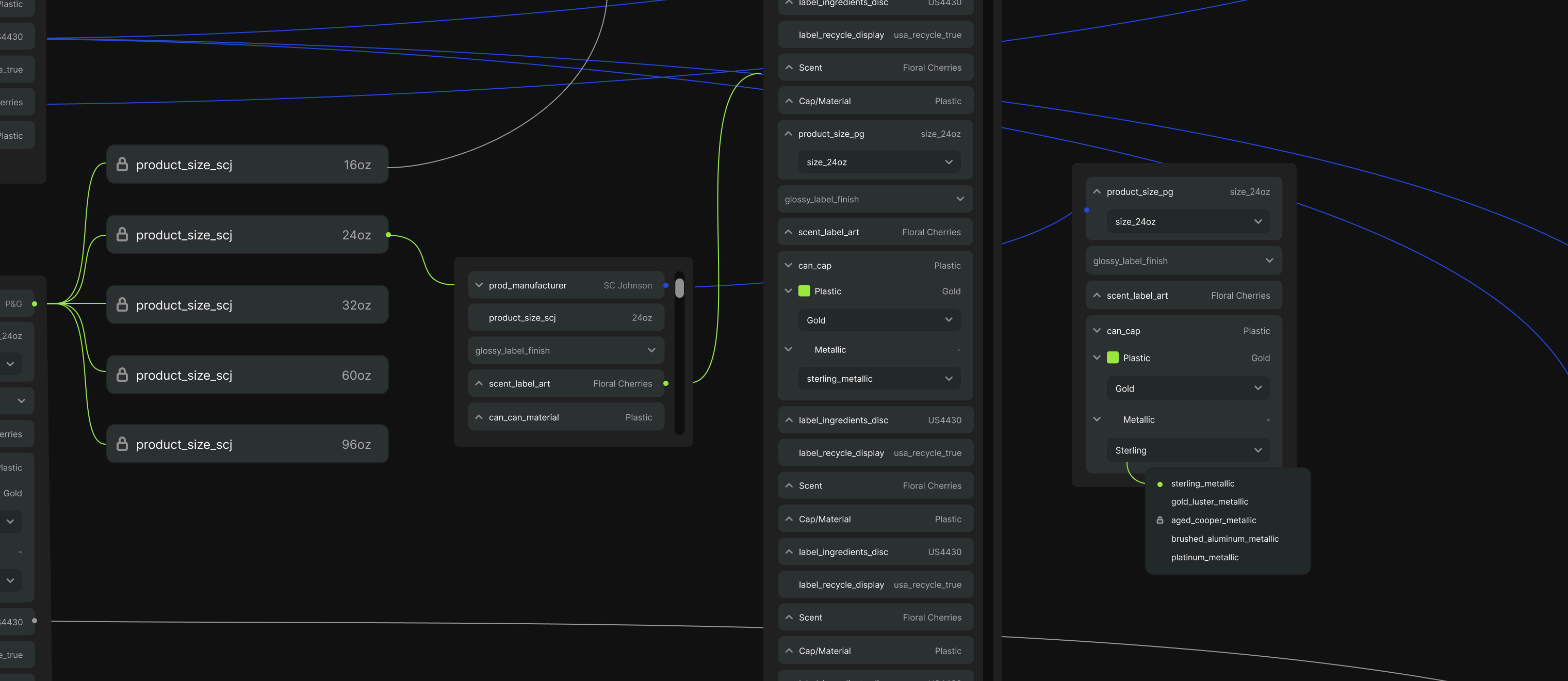
Colors, materials, finishes, components, sizes, and options can create hundreds, or even thousands, of possible variants.
The right product foundation makes everything downstream more scalable. By structuring product variants at the source, teams can move from complexity to content with greater speed, consistency, and control.
Build Principle: The Variant Compiler turns product data into a foundation for scalable content—helping teams create more possibilities without creating more complexity.
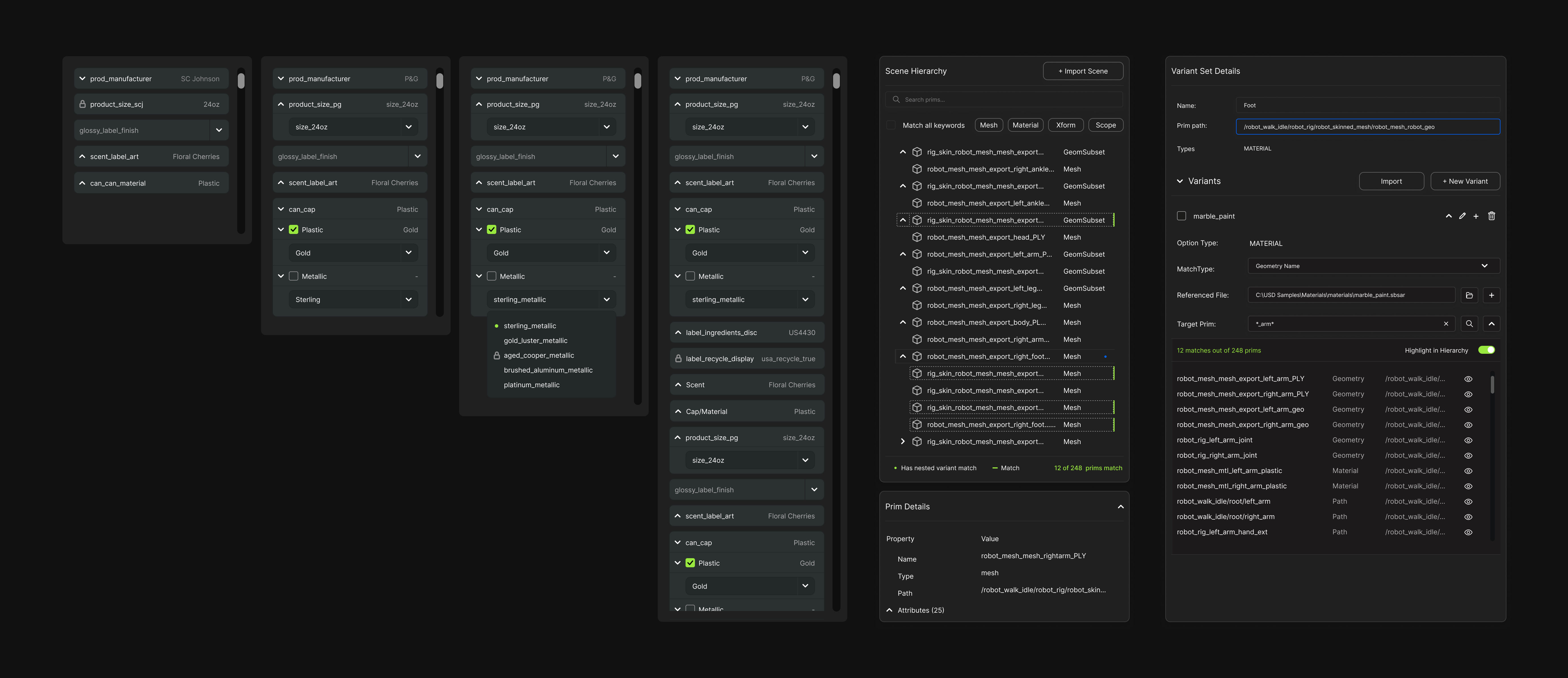
The base UI tokens, components, blocks, and some patterns are shared across this and the Variant Compiler.
I built this foundation so two complex tools would feel like one product. Every screen in both started from the same decisions, and engineering had proven parts to build from, so new features ship faster and stay consistent as the product grows.
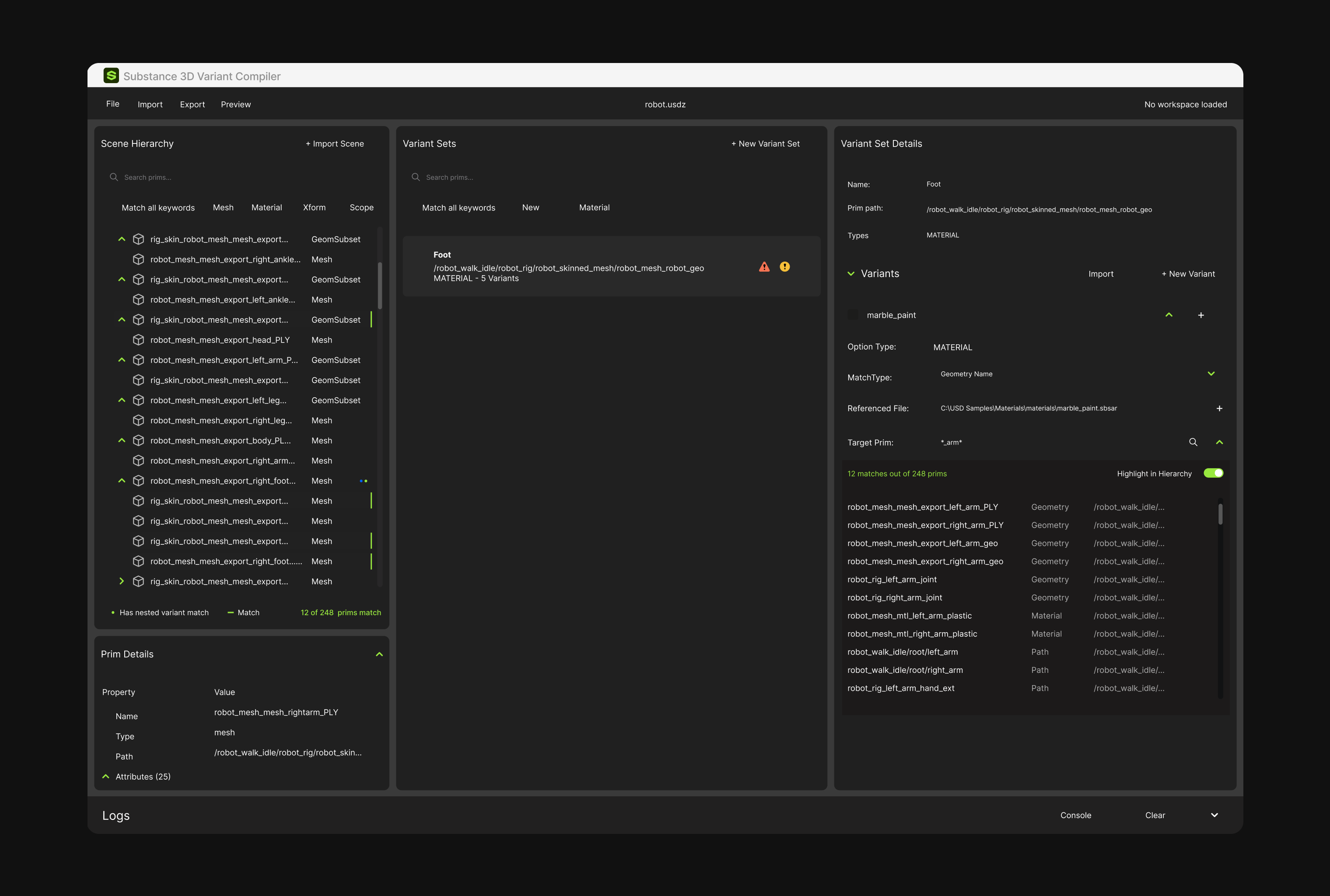
Add assets, choose which variants to include, and select the scenes to render them in.
Review the whole run at a glance, then monitor progress and handle errors file by file
Shipped- Summer 2026
Instead of treating every product variation as a separate creative task, teams can work from a common 3D foundation and compile the combinations they need, creating a more scalable approach to product content production.